Message templates: write one Meta will approve
10 min read
A template is a message Meta has approved in advance. You need one to start a conversation, or to continue one more than 24 hours after the customer last wrote. Templates are therefore the gateway to every campaign, reminder and follow-up you send.
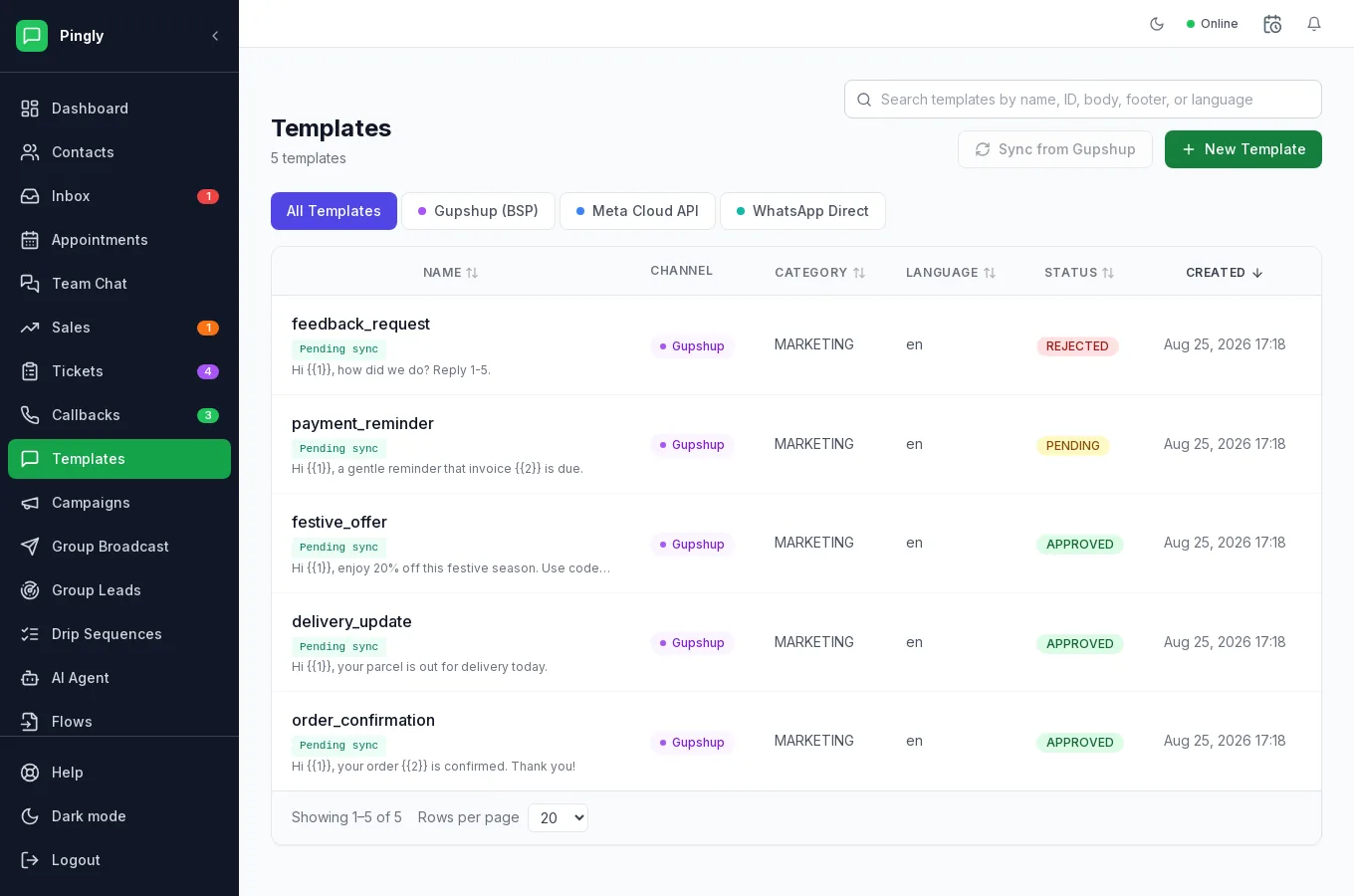
Why templates exist
WhatsApp does not let businesses send unsolicited free-form messages. Anything outside the 24-hour reply window has to be a template Meta has read and approved. Approval usually takes minutes, occasionally a few hours.
Creating one
Open Templates and create a new template.
- Name itLowercase letters, numbers and underscores — for example
order_shipped. The name is an identifier, not a title, and customers never see it. - Choose the channelWhich connected number this template belongs to. Templates live with the provider that approved them, so a Meta template is not available on a Gupshup number.
- Choose a categoryThis is the decision Meta scrutinises most.
- Write the bodyUse
{{1}},{{2}}and so on where a value should be substituted. The Live Preview beside the form shows exactly what the customer will see. - Add a header, footer and buttons if you need themA header can be text, image, video or document. The footer is small print. Buttons are covered below.
- Submit for approvalThe status becomes pending, then approved or rejected. Only approved templates can be sent.
Categories
| Category | Use it for | Notes |
|---|---|---|
| Marketing | Offers, launches, newsletters, re-engagement. | The most expensive per message, and the most heavily reviewed. |
| Utility | Order updates, appointment reminders, payment receipts — something the customer already asked for. | Cheaper than marketing. Meta will re-categorise a promotional message submitted as utility. |
| Authentication | One-time passcodes only. | Strict fixed format; no marketing content of any kind. |
Buttons
You can attach up to three buttons:
| Type | What it does |
|---|---|
| Quick reply | Sends a canned reply back to you. Good for "Yes, confirm" or "Not now" — the answer arrives as a normal inbound message. |
| URL | Opens a web page. Can carry a variable so each recipient gets their own link. |
| Phone number | Starts a phone call. |
| Flow (form) | Opens a form inside WhatsApp. Meta channels only, and the Flow must be published first — see Flows. |
Carousel templates send several cards the customer can swipe through, each with its own image and buttons — useful for a product range or a set of properties.
Why templates get rejected
Meta rarely explains a rejection usefully. In practice almost all of them are one of these:
- Category mismatch — a promotional message submitted as utility. The commonest by far.
- Variables at the very start or end of the body, or two variables adjacent. Meta reads that as a template that could say anything.
- Placeholder text left in —
Lorem ipsum, or an example variable value that does not match the message. - Spelling and grammar, which Meta does check.
- Promises or claims Meta considers misleading, and anything in a prohibited industry.
Sending one
- To one person — from the reply box in the inbox, filling in the variables as you go.
- To many — as a campaign.
- Automatically — as a step in a drip sequence.
More in Reach customers at scale
- Campaigns: send a template to thousandsAudience, template, schedule, send — and what the report actually tells you.
- Group broadcast: message WhatsApp groupsSending to WhatsApp groups from a number connected by QR code.
- Drip sequences: follow up automaticallyMulti-step automated follow-ups, triggers, and reading a failure.
- Group Leads: catch buying signals in WhatsApp groupsThree keyword lists, worked examples, and how a match becomes a lead.