Callbacks: never lose a call-me-back
4 min read
Some things are faster on the phone. A callback records that somebody promised to ring this person, who owes them the call, and whether it has happened — so “I will call you back” stops being a thing people say and forget.
Logging one
Use Create Callback from the conversation in the inbox, or add one directly on the Callbacks screen.
- Confirm the numberIt is filled in from the contact. Change it if they have asked to be reached on another line.
- Write the reasonOne line, enough for whoever makes the call to open with something better than “you wanted a call?”
- Say when to call, if it matters“After 6pm” is the difference between a call that connects and three that do not. Put it in the reason — the card shows that text to whoever picks the call up.
Working the queue
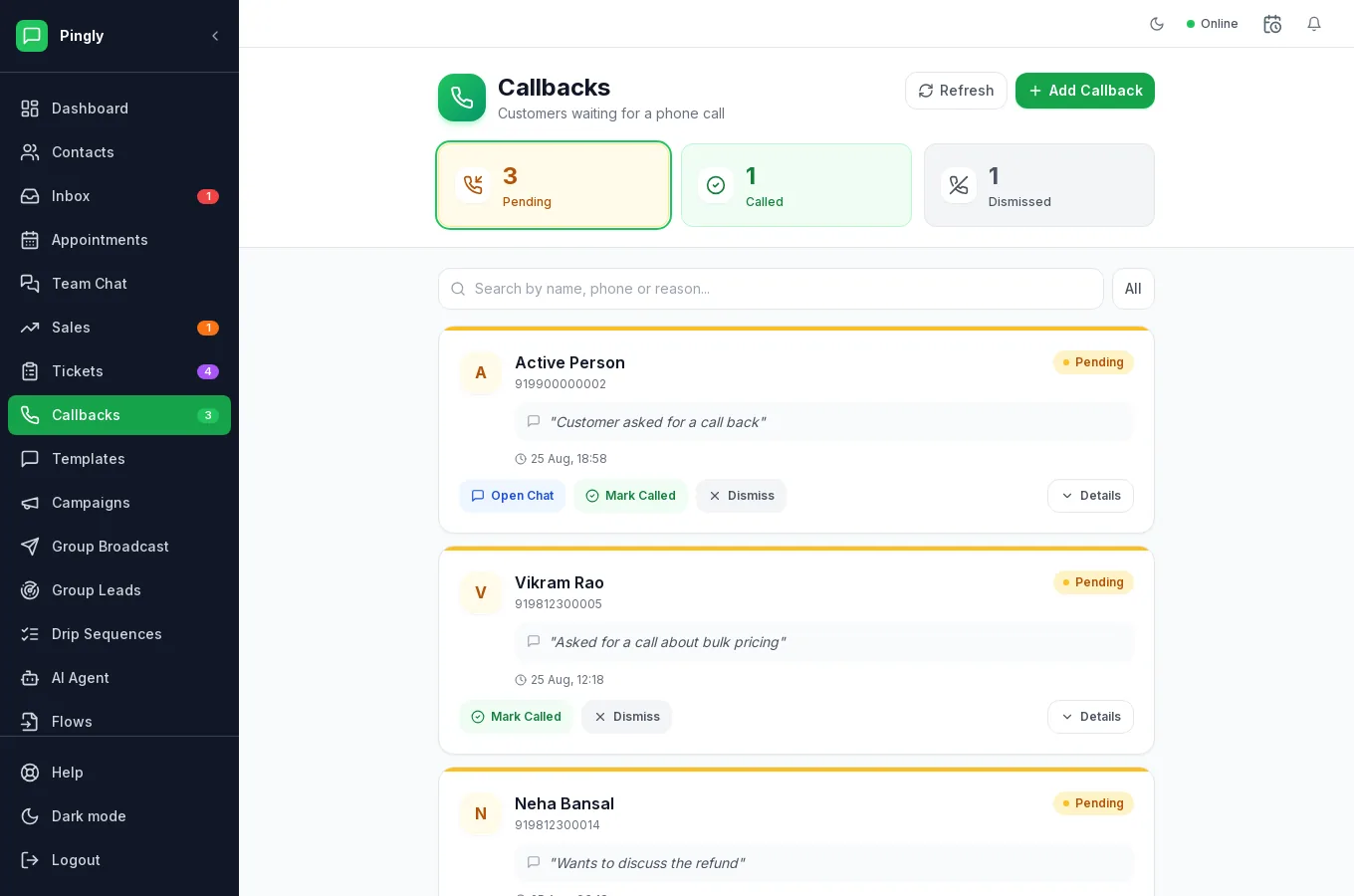
Each request is Pending, Called or Dismissed, with a count of each across the top. On a card you can:
- Open Chat — jump to their WhatsApp conversation before you ring.
- Mark Called — once the call has happened.
- Dismiss — when it is no longer needed.
The sidebar carries a count of pending callbacks, so the queue is visible without going looking. Callbacks are a shared queue rather than something assigned per person — whoever is free takes the next one.
Calling from Pingly
With click-to-call configured, you can dial from the callback itself and the call is placed through your telephony provider — no copying numbers into a handset. See Integrations.
More in Everyday use
- The shared inbox: reply, assign and keep trackAssignment, replies, media, private notes and the 24-hour window, explained.
- Contacts: import, organise and segmentImporting, tagging, custom fields, and what happens when someone opts out.
- Quick replies and labelsCanned answers your whole team shares, plus labels for finding chats again.
- Tickets: turn a conversation into tracked workRaising, assigning and resolving tickets without leaving the conversation.