Sales: work leads through a pipeline
7 min read
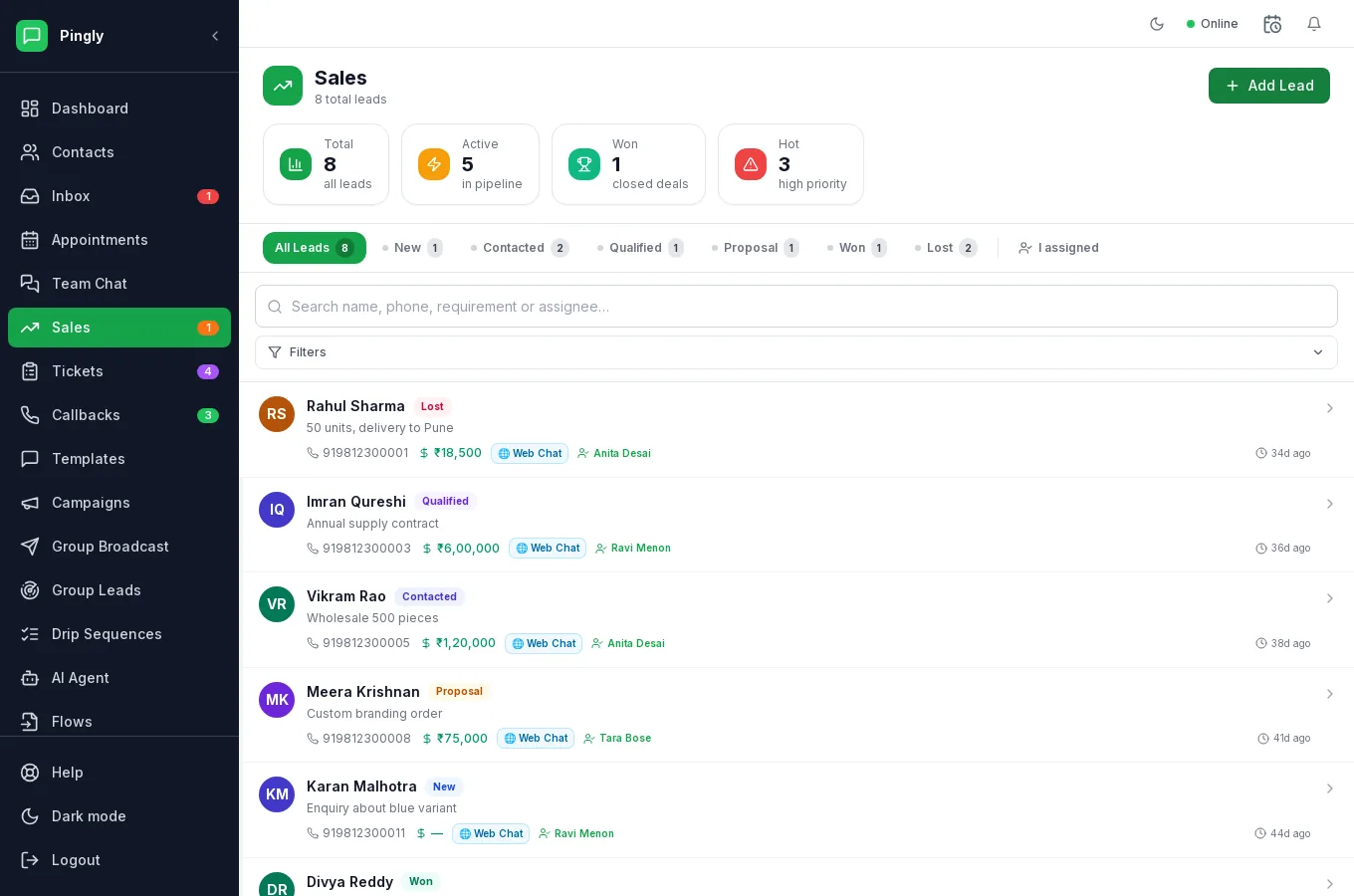
The Sales screen is a pipeline for the enquiries worth chasing. A conversation tells you what somebody said; a lead tells you what you are going to do about it, and by when.
Creating a lead
- From a conversation — in the contact panel of the inbox. The commonest route, and it keeps the chat attached.
- From Group Leads — a matching group message becomes a lead automatically. See Group Leads.
- From a Flow — a submitted form can write straight to a lead. See Flows.
- By hand — on the Sales screen, for anything that arrived by another route.
Working the pipeline
- Set a value and an ownerEven a rough value makes the pipeline worth looking at as a number rather than a list.
- Move it through the stagesNew, Contacted, Qualified, Proposal, then Wonor Lost. Each is a tab with a count, so the shape of the pipeline is visible at a glance. The stage should reflect where the deal actually is, not where you hope it is.
- Record what was agreedNotes on the lead, not just in your head. This is what makes handover possible.
- Close it either wayA lead marked lost is information. A lead left open for ever is noise, and it quietly inflates every forecast you make.
Following up automatically
Most leads are lost to silence rather than to a no. A drip sequence triggered on lead creation gives every enquiry the same three-touch follow-up without anyone having to remember — and stops the moment they reply.