Routing: get each chat to the right person
5 min read
Routing decides who handles an incoming conversation, so nobody has to sit and triage. Without it every chat lands unassigned and is answered by whoever happens to look — which works until you have more than about three people.
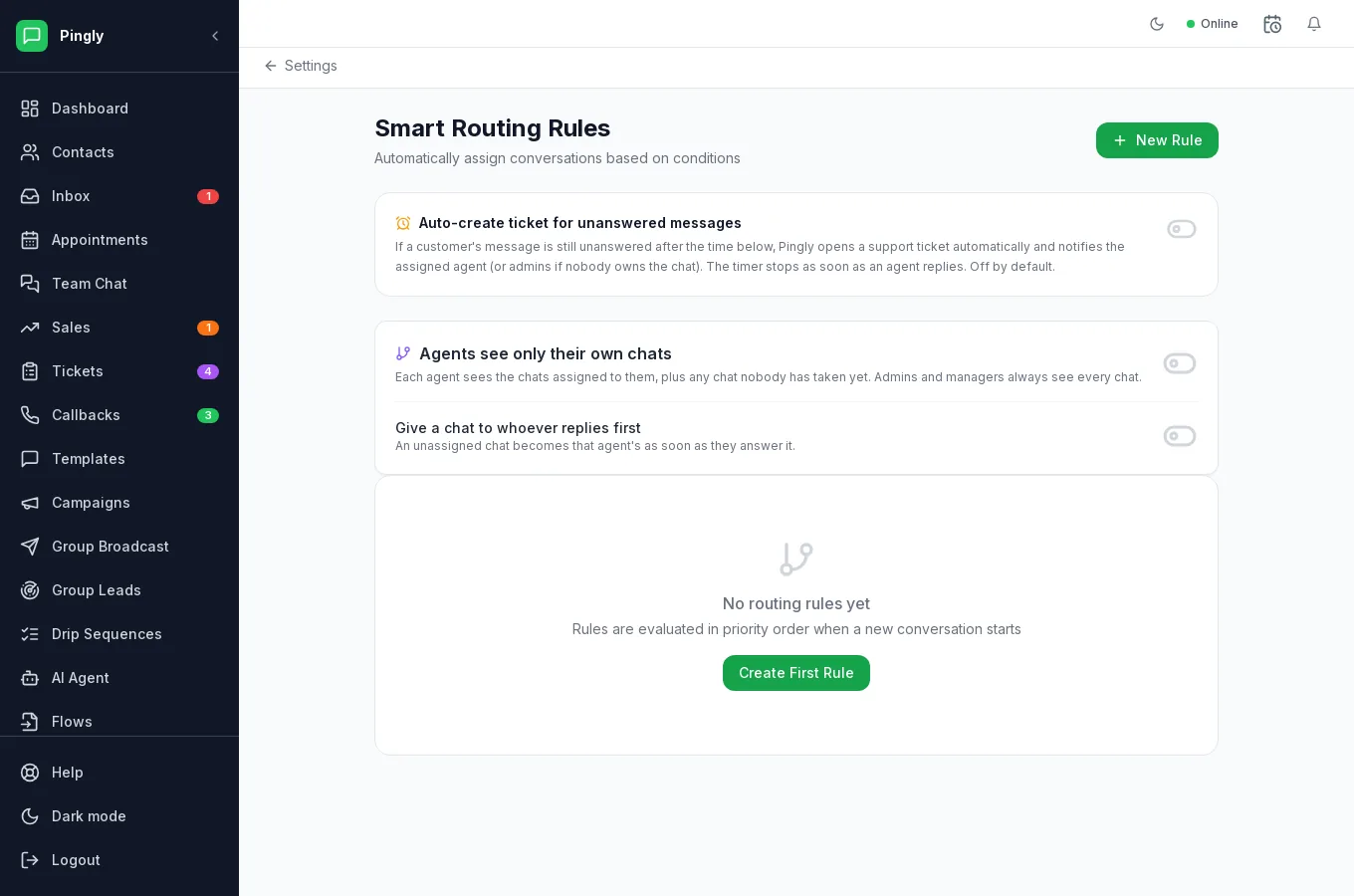
How a rule works
Each rule is a set of conditions and an action, with a priority. Rules are checked in priority order and the first match wins, so put the specific ones above the general ones.
| Condition | Matches on |
|---|---|
| Message contains | Words in the incoming message — "invoice", "refund", "price". |
| Contact has tag | A tag on the contact, such as vip or wholesale. |
| Contact attribute | A custom field and value, such as city:Pune. |
| Source channel | Which number or channel it arrived on. |
The action assigns the conversation to a person, or applies a label.
Setting one up
- Name the rule for its intent“Billing questions to Ravi”, not “Rule 3”.
- Add the conditionsStart with one. Conditions are combined, so each one you add makes the rule match less.
- Choose the actionAssign to a person, or apply a label and let a second rule act on it.
- Set the prioritySpecific first. A catch-all that assigns everything should be at the bottom, or it will fire before anything else gets a chance.
The three switches above the rules
| Switch | What it does |
|---|---|
| Auto-create ticket for unanswered messages | If a message is still unanswered after the time you set, Pingly opens a ticket and notifies the assigned agent, or the admins if nobody owns the chat. The timer stops as soon as an agent replies. Off by default. |
| Agents see only their own chats | Each agent sees what is assigned to them plus anything nobody has taken. Admins and managers always see everything. Right for large or outsourced teams; wrong for a small team who cover for each other. |
| Give a chat to whoever replies first | An unassigned chat becomes that agent’s as soon as they answer it. Simple, and it self-balances around who is actually free. |
The thing to check first
Next steps
More in Administration
- Channels and numbers: managing more than oneRunning several numbers, keeping them healthy, and choosing between them.
- Your WhatsApp Business profileThe profile customers see in WhatsApp, edited from inside Pingly.
- Integrations: Google Sheets, Zoho, Zoom and callsConnecting Google Sheets, Zoho CRM, Zoom and click-to-call.
- The developer API and webhooksAPI keys, sending programmatically, and subscribing to webhooks.