The developer API and webhooks
7 min read
The API lets your own systems send WhatsApp messages and read what is happening in your workspace. Webhooks are the other direction: Pingly calls you when something changes.
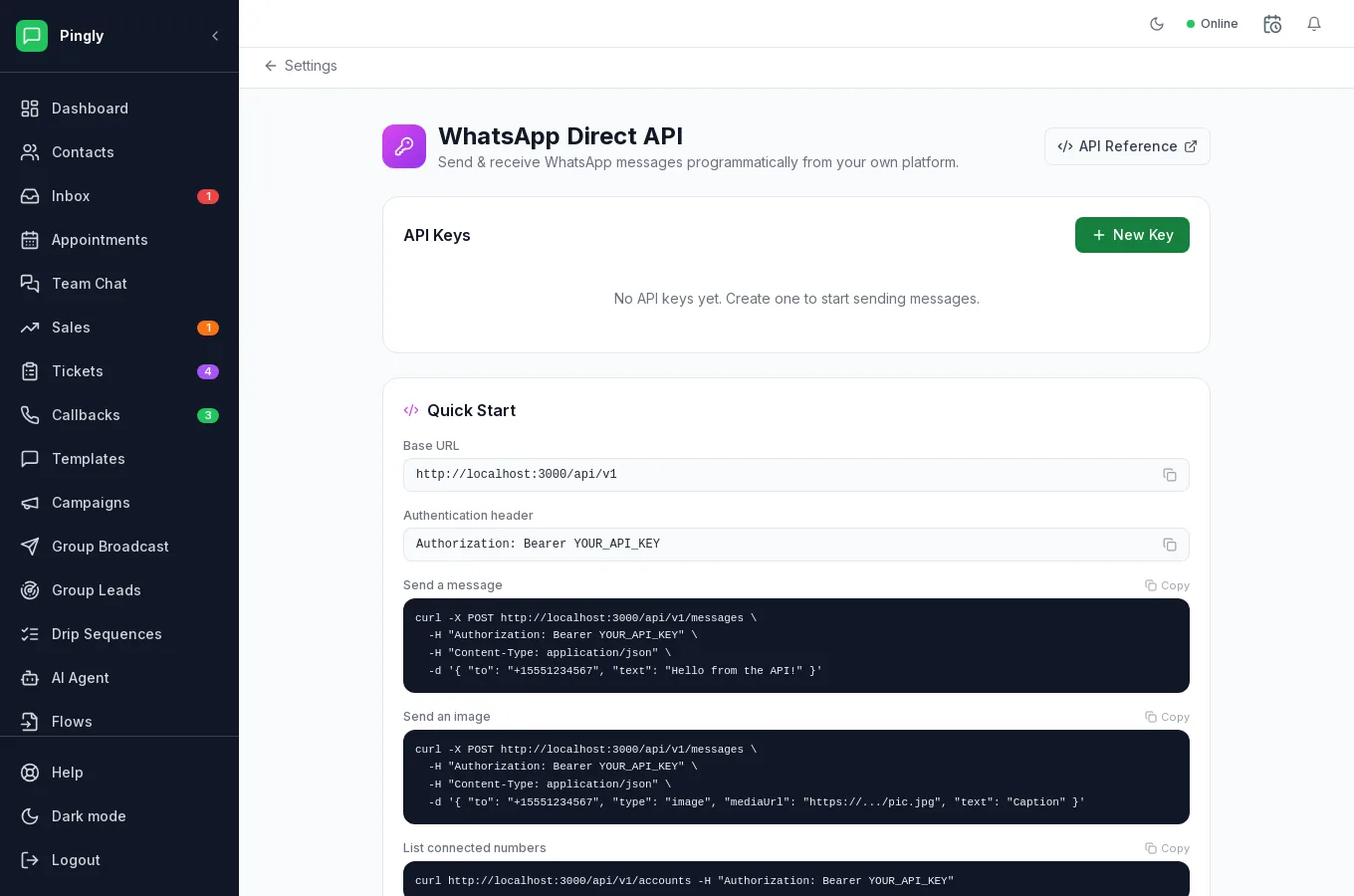
Getting a key
- Open Settings and then Developer APIAdmins only.
- Create a key and copy it immediatelyIt is shown once. If you lose it, revoke it and make another — that is safer than any way of recovering it would be.
- Store it where secrets goAn environment variable or a secret manager. Not in your source code, and not in a shared document.
Using it
The screen calls this the WhatsApp Direct API, and that is the honest description: it is for sending and receiving messages through numbers connected by QR code. The Quick Start on the page gives you working curl commands with your own base URL already filled in. What it covers:
| Endpoint | What it does |
|---|---|
POST /api/v1/messages | Send a text message, or one with an image or document. |
GET /api/v1/accounts | List your connected numbers and their state. |
POST /api/v1/validate | Check whether a number is on WhatsApp before you send. |
POST /api/v1/connect | Connect a number, with a QR endpoint to scan. |
/api/v1/webhooks | Create, list, update and delete webhooks. |
The full reference, with every parameter, is at /api/v1/docs on your Pingly domain, generated from the running API — so it is accurate for the version you are calling.
Webhooks
Under Settings → Webhooks, give a URL and choose which events should reach it. Pingly posts JSON to that URL when they happen.
| Do this | Because |
|---|---|
| Answer 200 quickly, then do the work | A slow endpoint causes retries, and you will process the same event twice. |
| Handle duplicates | Retries are normal. Make your handler safe to run twice on the same event. |
| Verify it came from Pingly | The endpoint is public. Check the signature before trusting the payload. |
| Keep one webhook per purpose | Several webhooks pointing at the same URL deliver the same event several times — an easy thing to add by accident and a confusing one to debug. |
More in Administration
- Channels and numbers: managing more than oneRunning several numbers, keeping them healthy, and choosing between them.
- Routing: get each chat to the right personAutomatic assignment rules, rotation, and the fallback when nobody answers.
- Your WhatsApp Business profileThe profile customers see in WhatsApp, edited from inside Pingly.
- Integrations: Google Sheets, Zoho, Zoom and callsConnecting Google Sheets, Zoho CRM, Zoom and click-to-call.