Billing: plans, payments and invoices
5 min read
Two separate bills are involved and confusing them causes most billing questions: what you pay Pingly for the software, and what Meta or Gupshup charge for the messages themselves.
The two bills
| Paid to | Covers | |
|---|---|---|
| Your Pingly plan | Pingly | The software: team members, numbers, contacts and the features your plan includes. |
| Message charges | Meta or Gupshup | Each conversation on the Cloud API, billed by them to the payment method on that account. |
What each plan includes
This table is read from Pingly’s live plan list, so it is what you would actually be sold today rather than a copy that has gone stale. Indian prices exclude GST.
- Everyone starts with a 14-day free trial, with no card.
- A locked feature stays in the sidebar with a padlock rather than disappearing, so you can see what a higher plan would add.
- Only the workspace owner can change plan. Other admins are told who to ask, instead of being sent to a screen that will refuse them.
- Paying yearly is charged monthly-equivalent at the lower rate shown in the second row.
Paying
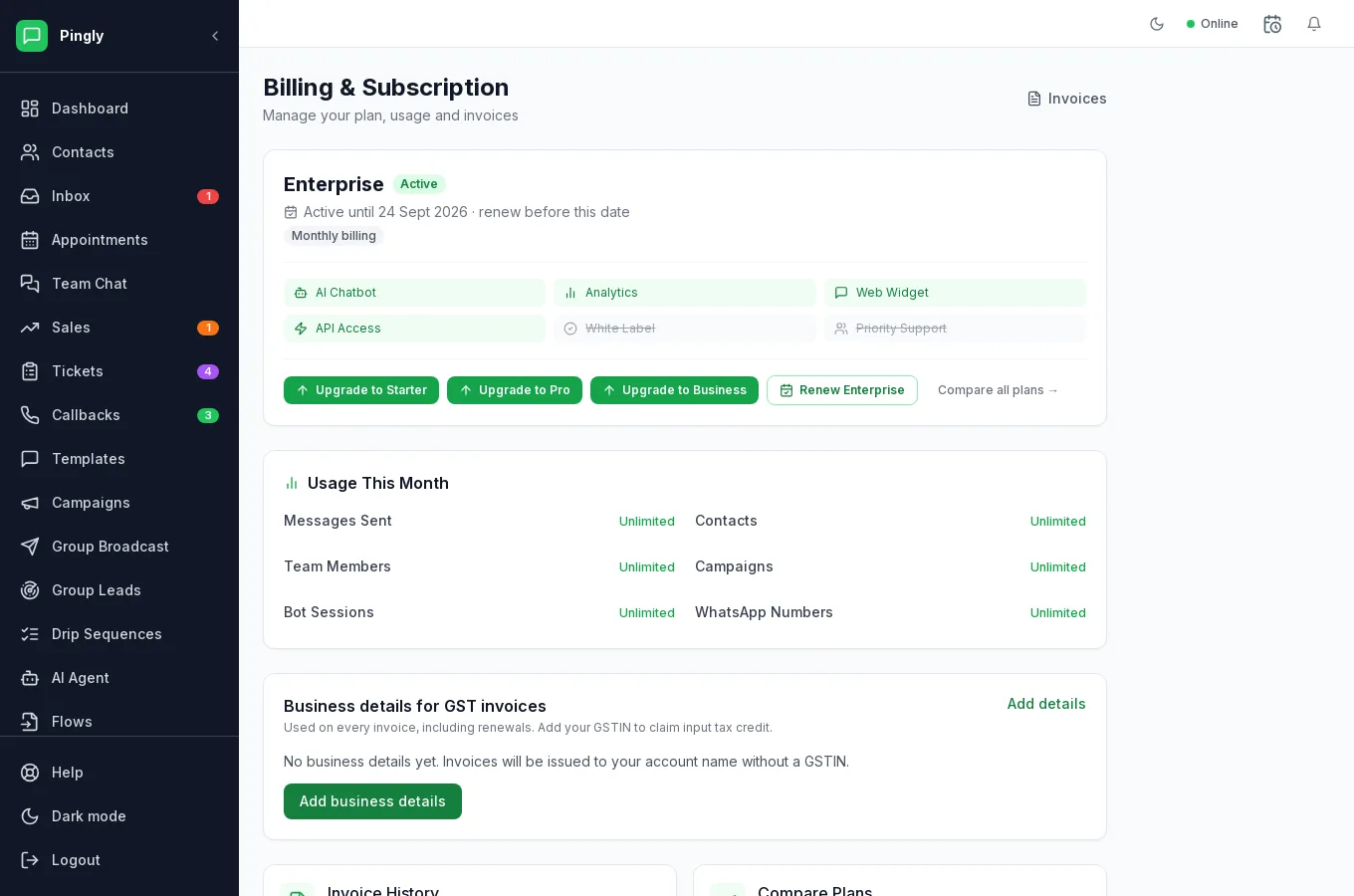
Card and UPI are both supported, and subscriptions renew automatically. Changing plan takes effect on the current billing period; a feature you unlock may take a few minutes to appear.
Invoices
Every payment has a downloadable invoice on the Billing screen, with your business name and GST details as entered in your profile. Set those before your first payment — an invoice already issued cannot have them added afterwards.
When a trial or plan lapses
Sending stops: campaigns and drip sequences pause rather than failing permanently, and your data stays exactly where it is. Renewing picks up where you left off, including sequences mid-way through.
Next steps
More in Administration
- Channels and numbers: managing more than oneRunning several numbers, keeping them healthy, and choosing between them.
- Routing: get each chat to the right personAutomatic assignment rules, rotation, and the fallback when nobody answers.
- Your WhatsApp Business profileThe profile customers see in WhatsApp, edited from inside Pingly.
- Integrations: Google Sheets, Zoho, Zoom and callsConnecting Google Sheets, Zoho CRM, Zoom and click-to-call.