The AI agent: answer the first message automatically
8 min read
Pingly can answer on its own in two different ways, and knowing which is which saves most of the confusion here. Conversation flows are keyword rules you write, and they are checked first. AI replies handle whatever no flow matched.
The order things happen in
Every incoming message goes through the same sequence, and the first thing that matches wins:
- A conversation flow, if one matches a keywordDeterministic and free. You wrote it, so you know exactly what it will say.
- An AI reply, if AI Replies is onOnly for messages no flow matched. This is where the language model is used.
- The default reply, if AI is off or unavailableLeave it blank to stay silent rather than send something unhelpful.
Conversation flows
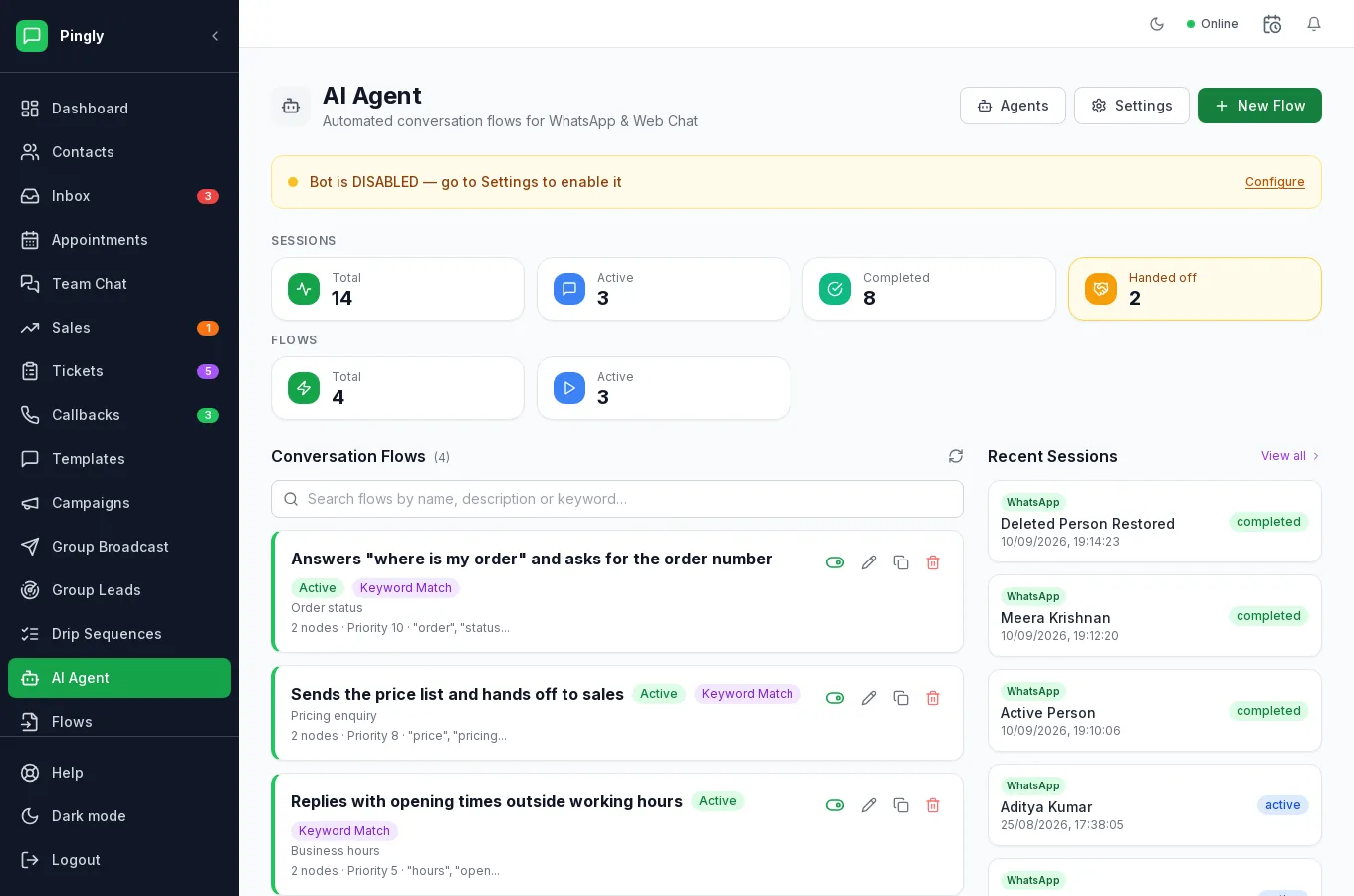
AI Agent lists your flows. Each has trigger keywords, a priority, and the nodes that make up the reply — so a flow can answer “where is my order” and then ask for the order number. Where two flows could match, the higher priority wins.
The counters at the top show bot sessions: how many are running, how many completed, and how many were handed off to a person. That last number is the one to watch — it is your best measure of where the automation runs out.
Configuring the agent
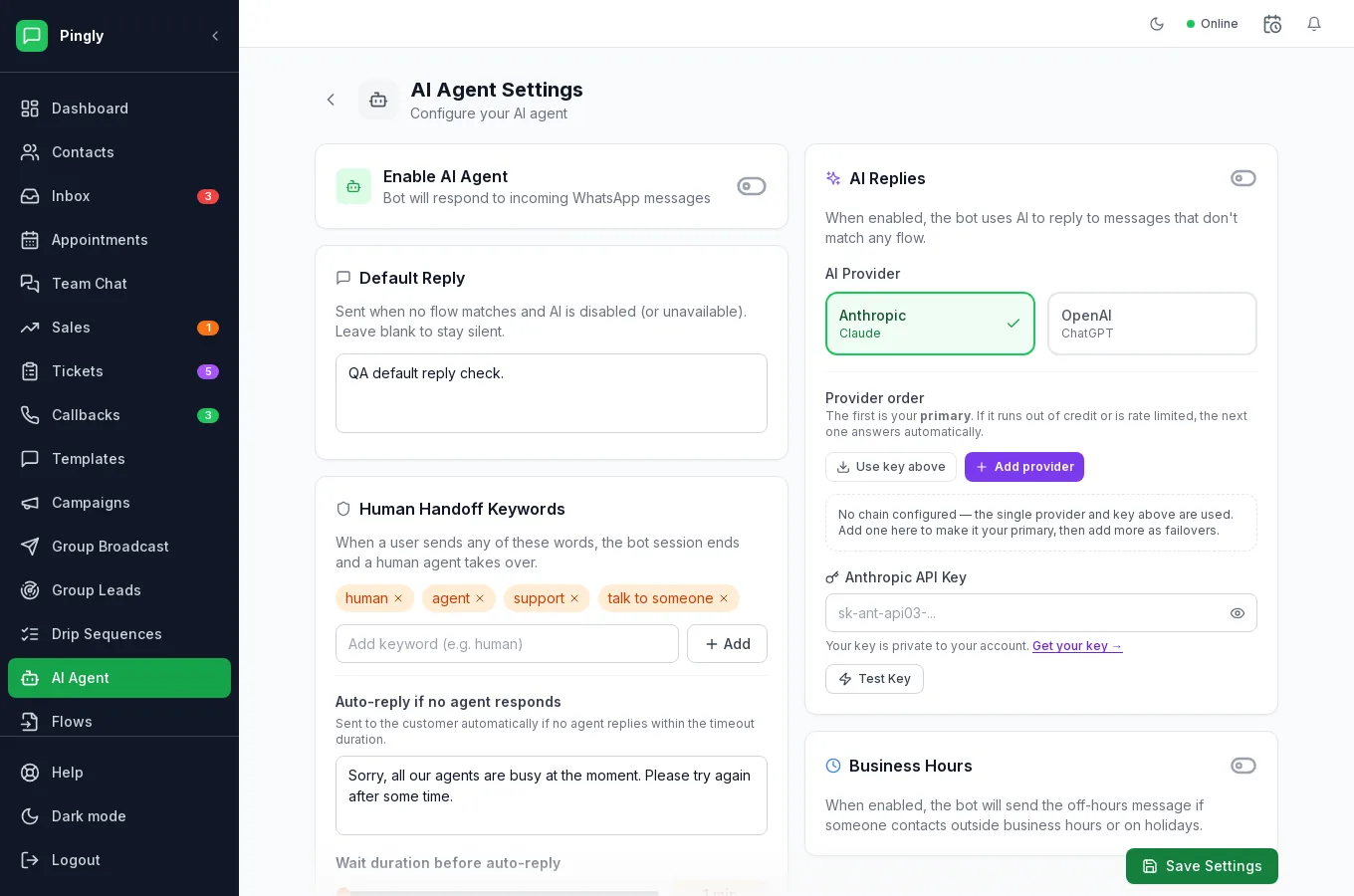
Everything below is on AI Agent → Settings.
| Setting | What it does |
|---|---|
| Enable AI Agent | The master switch. Off, nothing replies automatically at all. |
| Default Reply | Sent when no flow matches and AI is disabled or unavailable. Blank means stay silent — often the better choice. |
| Human Handoff Keywords | Words that end the bot session and fetch a person. It ships with human, agent, support and talk to someone; add your own. |
| Auto-reply if no agent responds | A holding message sent if nobody answers within the wait duration you set. |
| AI Replies | Whether the language model answers messages no flow matched. |
| Business Hours | Sends an off-hours message outside your opening times and on holiday dates you list. |
Choosing a provider
AI replies use your own account with Anthropic (Claude) or OpenAI (ChatGPT) — you add the API key and that provider bills you directly, separately from Pingly.
You can set a provider order: the first is your primary, and if it runs out of credit or is rate limited the next one answers automatically. Worth configuring if the bot is answering customers unattended, because the alternative to a failover is silence. There is a Test Key button — use it, rather than finding out from a customer.
Handover
Handover is what decides whether customers find this useful or infuriating.
- Handoff keywords end the bot session immediately and bring in a person.
- An agent replying takes over. The moment a human answers, the bot stops in that conversation — it cannot talk over your team.
- Take over and Hand to AI in the conversation header move the line by hand, either way.
What to keep it away from
- Prices that vary, unless a flow gives the exact wording.
- Promises — delivery dates, refunds, anything that commits the business.
- Complaints. Somebody already unhappy wants a person, quickly.
- Anything regulated — medical, legal or financial advice.
Have it say it is a bot in its first message. Customers are fine with a bot that is useful and honest; they are not fine with discovering they were talking to one.
The simpler alternative
If you mainly want fast, consistent answers typed by a person rather than anything automatic, quick replies give your team one-keystroke canned responses with no AI, no provider key and nothing to supervise. Plenty of teams need that and not this.